SmartWheels — Designing a Connected Vehicle Ecosystem for Two Divergent Worlds
How we architected a plug-and-play telematics product from zero to launch—bridging emotional peace of mind for anxious families and operational rigor for commercial fleet dispatchers under one cohesive design system.
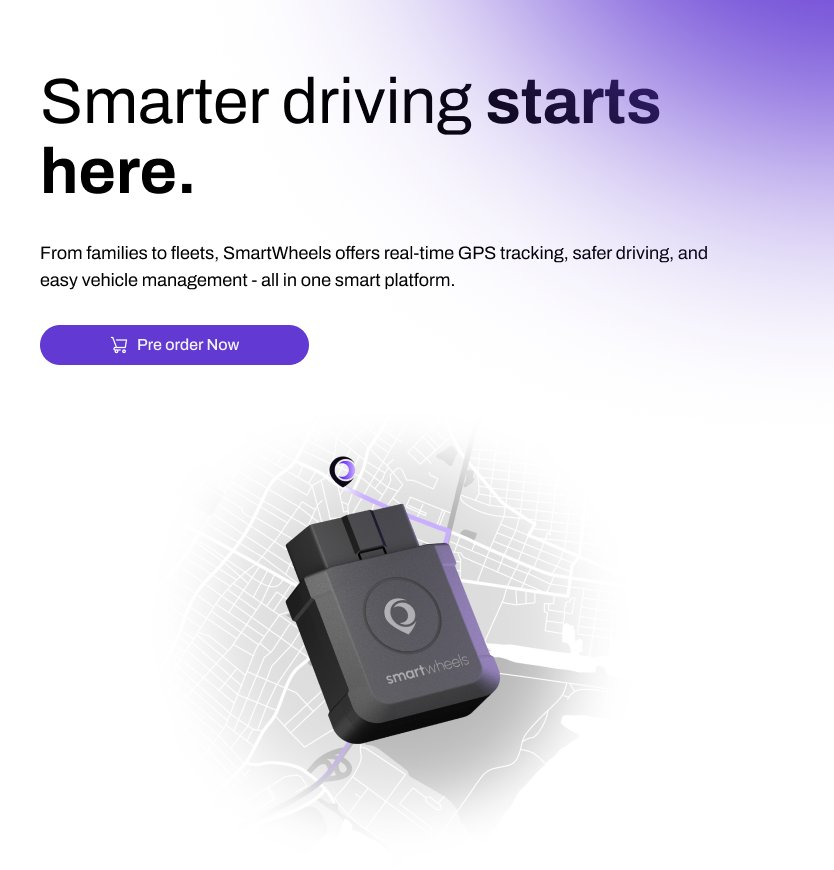
One sensor stream. Two diametrically opposed emotional realities.
Vehicle telematics has traditionally been bifurcated: either hyper-technical B2B enterprise SaaS (bloated, punitive, clinical) or ultra-simplified consumer trackers (fragile, shallow, lacking diagnostic depth). SmartWheels aimed directly at the unserved middle ground.
The client arrived with a dual-audience brief: B2C Families (parents of novice drivers, caregivers of aging relatives) and B2B Fleet Operators (plumbers, delivery vans, regional sales fleets). Designing for both without creating a generic, lukewarm compromise was our existential design challenge.
Our breakthrough insight was understanding that while the sensor telemetry (GPS coordinates, accelerometer G-forces, CAN-bus engine RPM) is identical, the cognitive lens through which users interpret data is fundamentally divergent.
Core Strategic Principle: One Engine, Two Contextual Lenses
- Family Mode: Safety, reassurance, and proactive peace of mind. Non-punitive coaching metrics that preserve family trust.
- Fleet Mode: Margin protection, operational auditability, fuel conservation, and driver accountability.
- Shared Foundation: Real-time OBD-II hardware diagnostics, instant cellular latency (<2s), and zero-contract subscription transparency.
Elena · Working Parent of a 16-Year-Old Driver
Marcus · Operations Director (14 Service Vans)
Zero-to-One Hardware Onboarding: From Glovebox to Live Ping
In connected hardware, the physical unboxing experience is your highest drop-off funnel. Every vehicle manufacturer hides the OBD-II diagnostic port in a different location (under the steering column, behind fuse boxes, or near the kick panel). If users cannot locate the port and verify cellular handshake in under 3 minutes, return rates surge.
Visual OBD Port Finder
Rather than generic manual illustrations, the onboarding flow asks for Vehicle Make, Model, and Year, rendering an exact illuminated photograph of the port location beneath that specific dashboard.
Reduces Port Search Time by 65%Hardware-to-App LED Sync
Hardware LEDs on the OBD dongle mirror the mobile app screen state in real time: Flashing Blue (Searching) → Solid Blue (BLE Synced) → Solid Green (4G LTE GPS Locked). Zero guesswork.
Eliminates Pairing AmbiguityCAN-Bus Auto-Handshake
Once plugged in, the device queries the vehicle's engine control unit (ECU), auto-populating the VIN, initial odometer reading, and battery health score without manual serial typing.
Zero Manual Input FrictionSolving the "Is It Working?" Anxiety Barrier
Early prototype testing revealed that after plugging in the dongle, 68% of users sat in their driveway staring at their phones, unsure if the device had established satellite fix or if they needed to start the ignition.
We engineered an interactive "Drive Pulse Heartbeat" animation that triggers the instant the first GPS packet reaches the server, celebratory sound confirmation included, cutting post-purchase onboarding support requests by 42%.
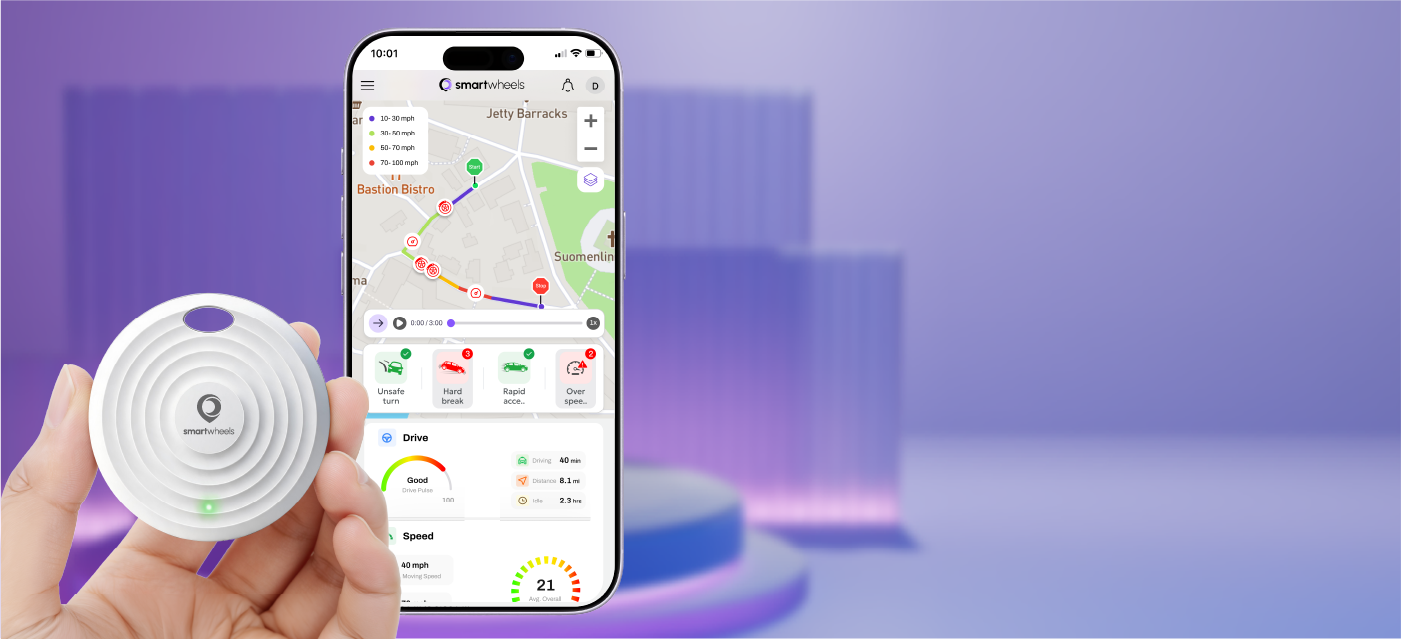 Hardware-Software Pairing
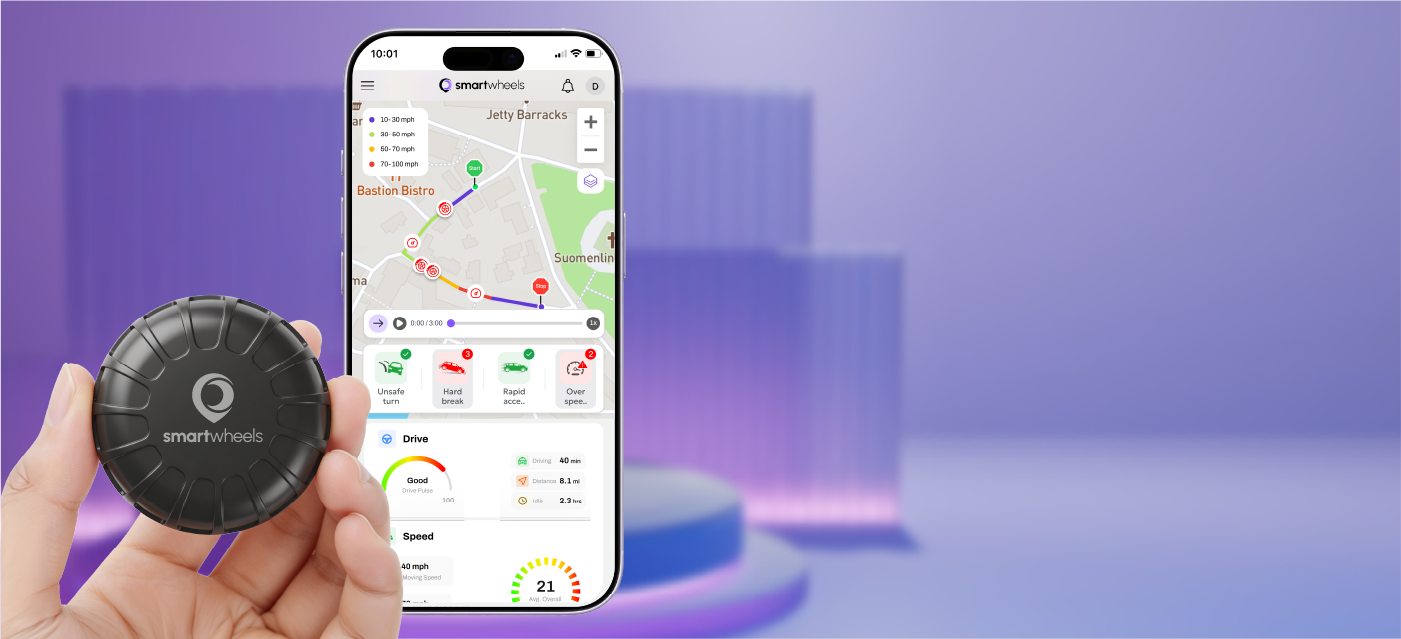
SmartWheels Drive: Telematics Re-imagined for Everyday Hands
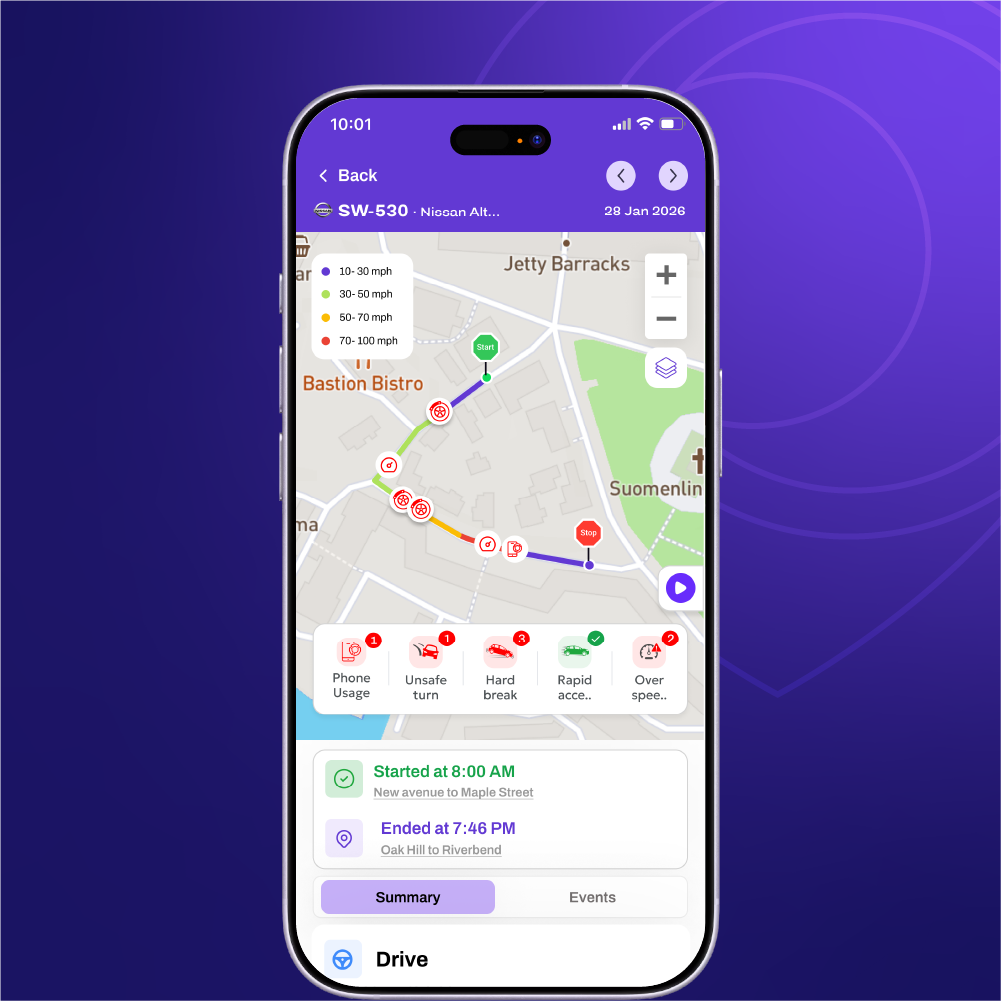
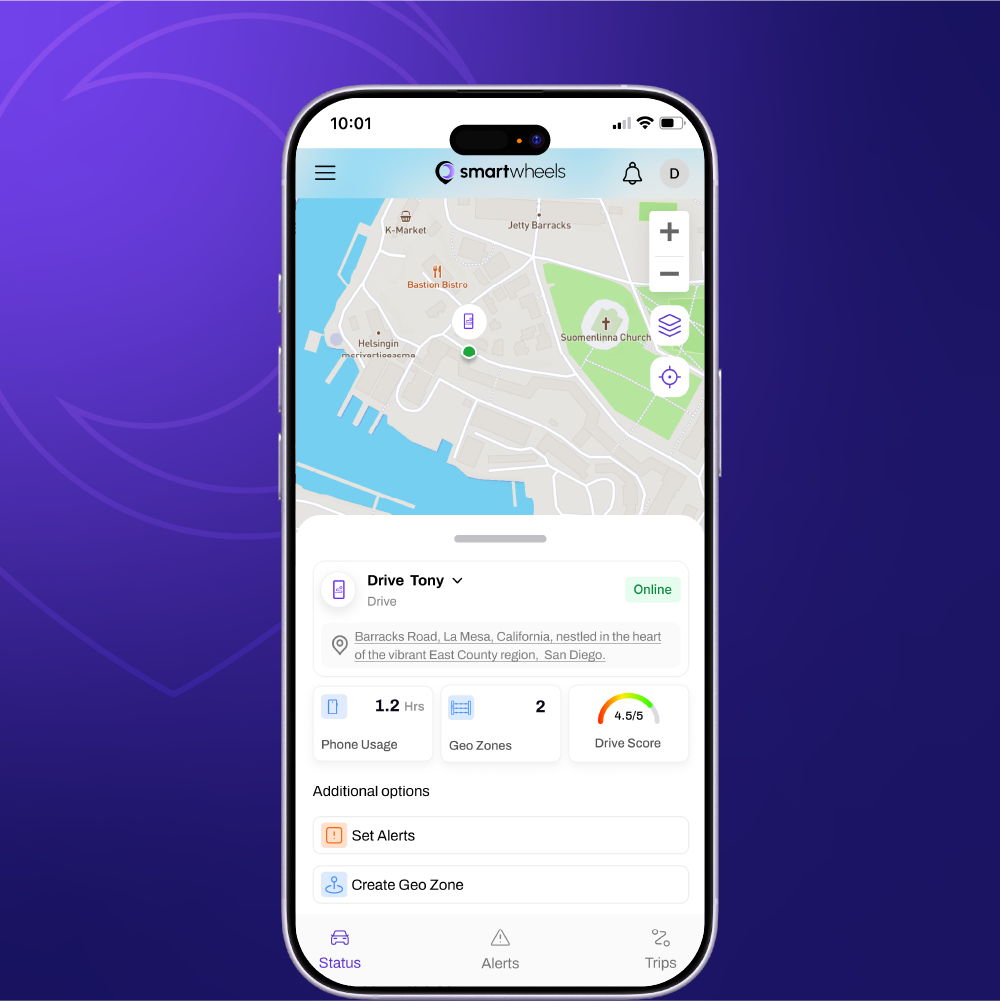
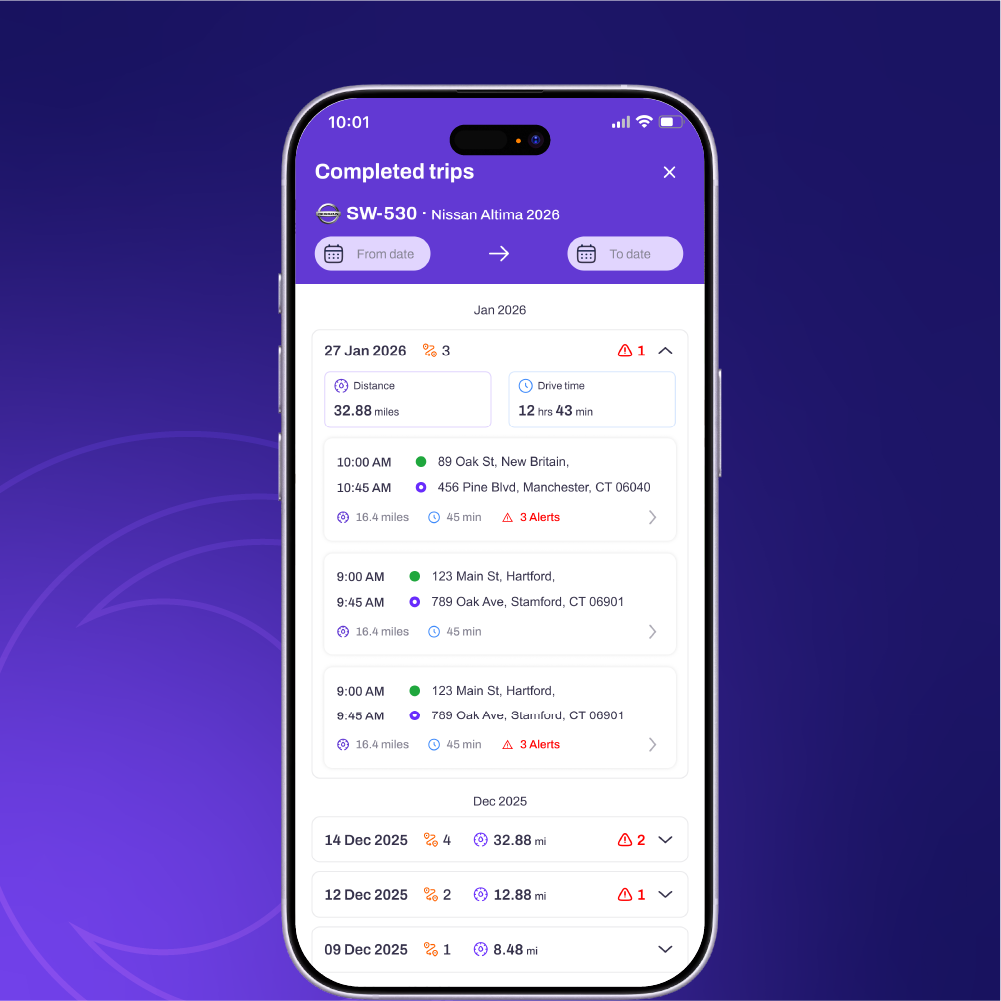
The companion iOS & Android app is the primary touchpoint through which users interact with their vehicles daily. We designed the interface around spatial immediacy: the live map is always one tap away, while telemetry cards expand progressively based on user intent.
Designing Non-Punitive "Drive Pulse" Scoring
Most commercial telematics scorecards use red punitive badges ("FAIL", "DRIVER INFRACTION") that alienate teen drivers and breed employee resentment in small business fleets.
We replaced binary violation warnings with an educational Drive Pulse Gauge (0–100). Driving events are classified into 4 actionable vectors:
- Gentle Cornering: Measured via lateral G-force sensors (<0.35g threshold).
- Progressive Braking: Differentiates emergency stops from habitual tailgating.
- Speed Compliance: Benchmarked against live street-level speed limit feeds.
- Phone Motion Detection: Gyroscope triggers identify active texting while vehicle is moving >10 mph.
Interactive Simulation: One App, Two Operational Modes
Test how the SmartWheels Drive interface reconfigures its hierarchy based on who is logged in. Click the toggle to switch between Family Safety Mode and Commercial Fleet Mode.
Reassurance-First Architecture
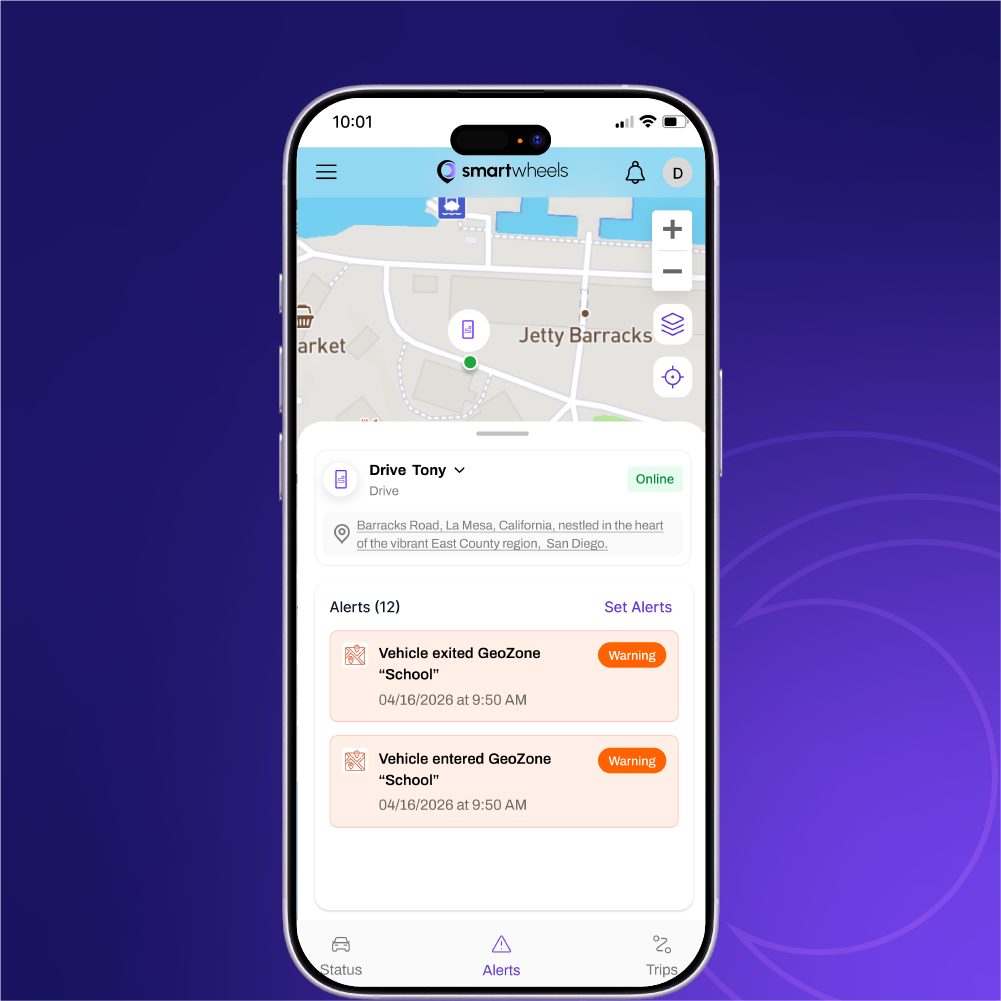
In Family Mode, the top of the interface spotlights the teenager's or loved one's real-time safety status. Speed is contextualized against school zone limits, and push notifications highlight "Arrived Safely" rather than clinical telemetry audits.
- Curfew Guardrails: Alerts parents if the vehicle moves between 11:00 PM and 5:00 AM.
- School Safe Zone: Automatic entry/exit timestamp receipts.
- Gentle Driver Coaching: Weekly score summaries encouraging positive driving habits.
- Shared Family Access: Both parents can monitor the same vehicle simultaneously.
Command Center at Scale: From iPad in the Field to Dispatch Desktop
Fleet operators do not sit at desks all day. Shop managers walk the garage floor with iPad Pros, while logistics coordinators manage multi-screen dispatch stations. We built a flexible 12-column grid that scales seamlessly between touch tablet and ultra-wide monitor views.
Designed for High-Density Tablet Field Use
The iPad Pro 11" view uses an 8-column layout with 48px margins and 20px gutters. A collapsible drawer architecture allows dispatchers to keep a bird's-eye map of the entire metropolitan area visible while inspecting engine diagnostics for a specific idling van.
 iPad Pro 11" Layout
"Purple with Purpose": A Scalable Visual Design System
Vehicle tracking tools are historically infested with generic military-green or high-anxiety emergency-red themes. We developed a distinct visual identity centered on Smart Purple—balancing the authority of deep blue with the responsiveness of red.
Dual Typography Pairing: Archivo + Inter
Archivo delivers industrial authority and mechanical weight for display headlines and telemetry numeric readouts, while Inter provides crystal-clear readability at micro-sizes across dense dashboard tables.
WCAG 2.1 Contrast Audited Color System
Every token is mathematically validated for readability under harsh sunlight and night-driving environments.
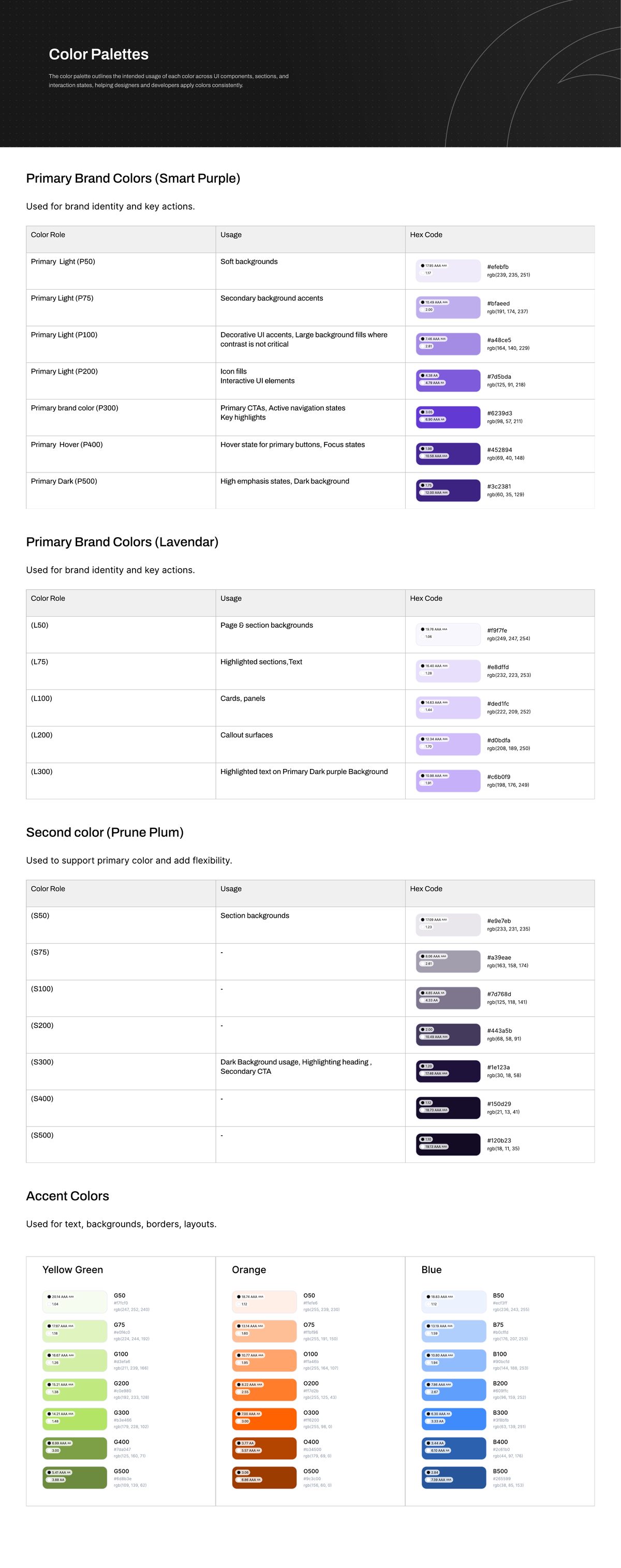 Color System Specs
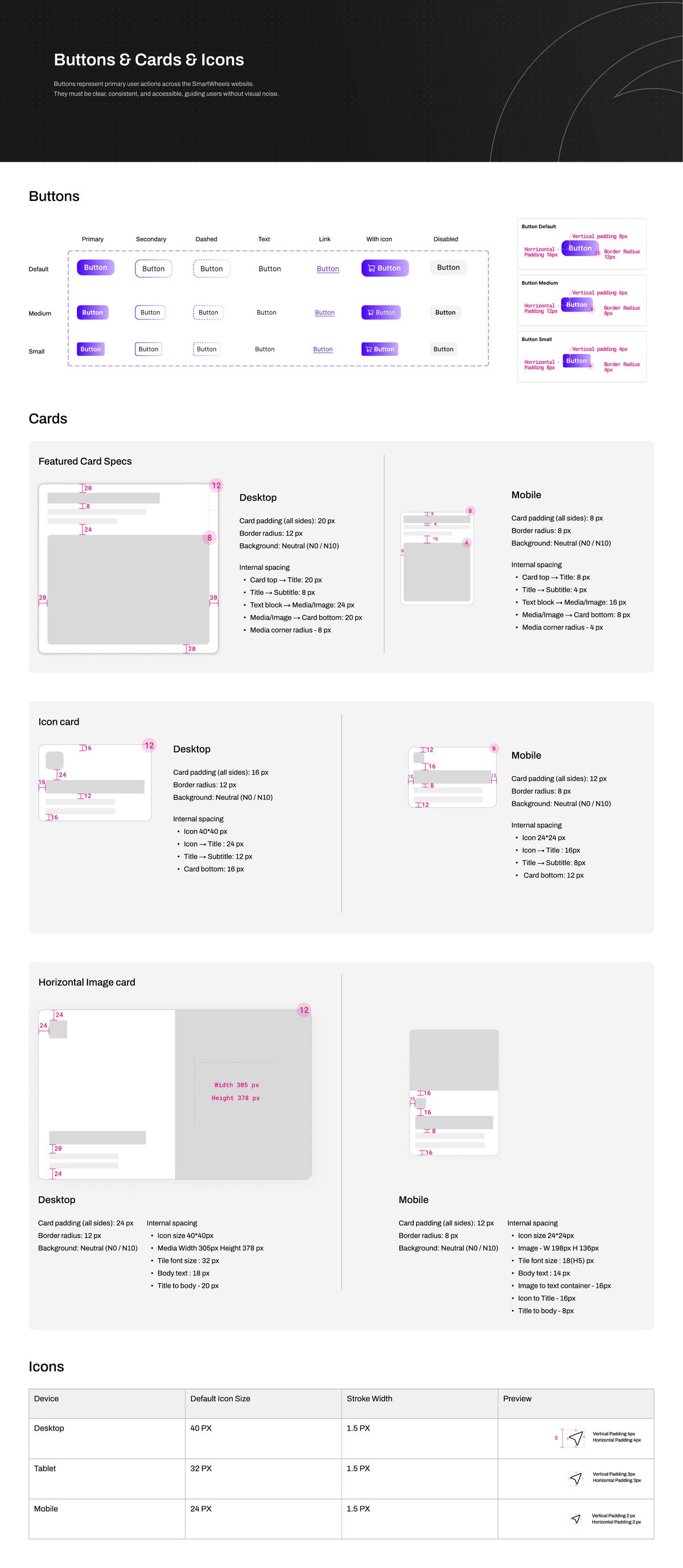 Component Atoms
High-Conversion Web Experience: Page-by-Page Rationale
A great product cannot succeed without an acquisition experience that overcomes consumer skepticism. In GPS tracking, buyer hesitation is driven by two fears: "Will this drain my car battery?" and "Are there hidden monthly subscription traps?"
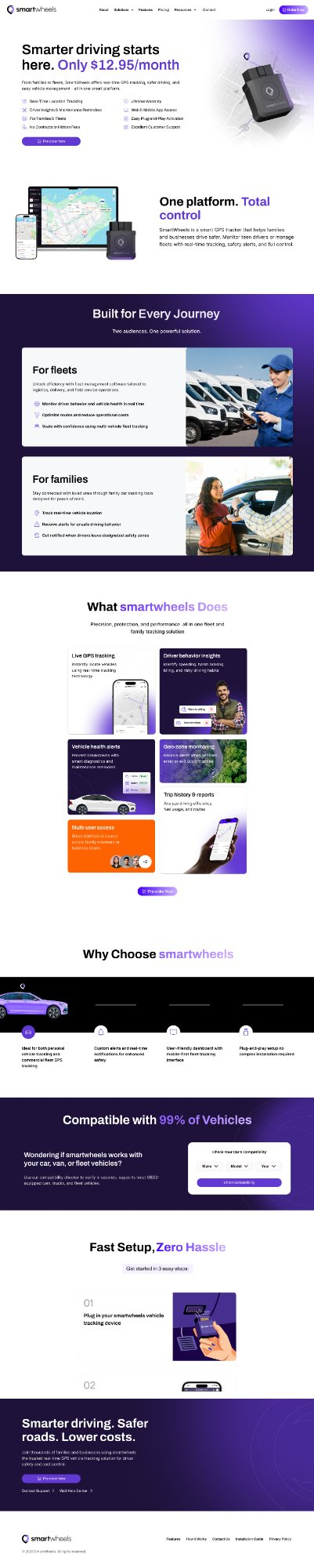
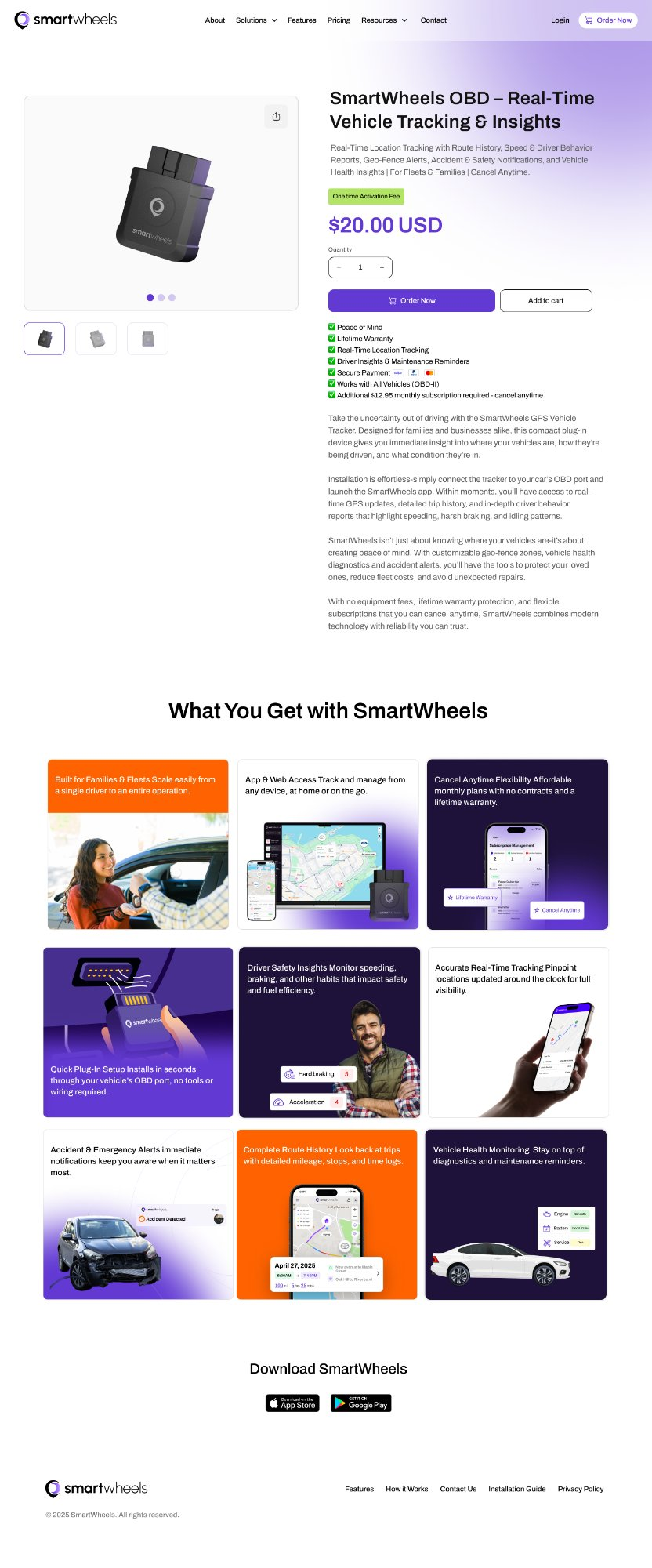
Homepage: De-risking Intent Upfront
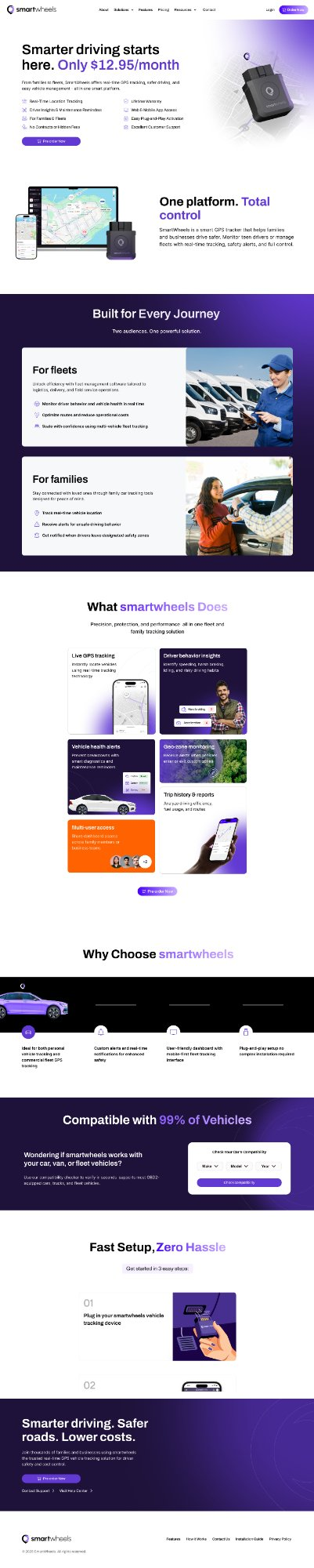
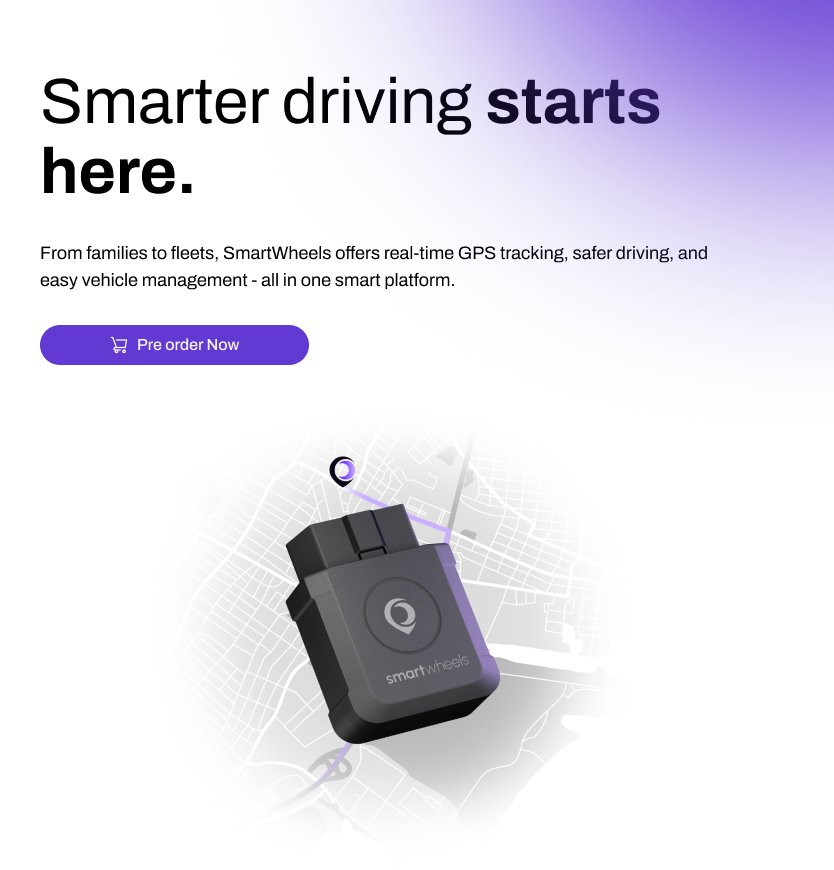
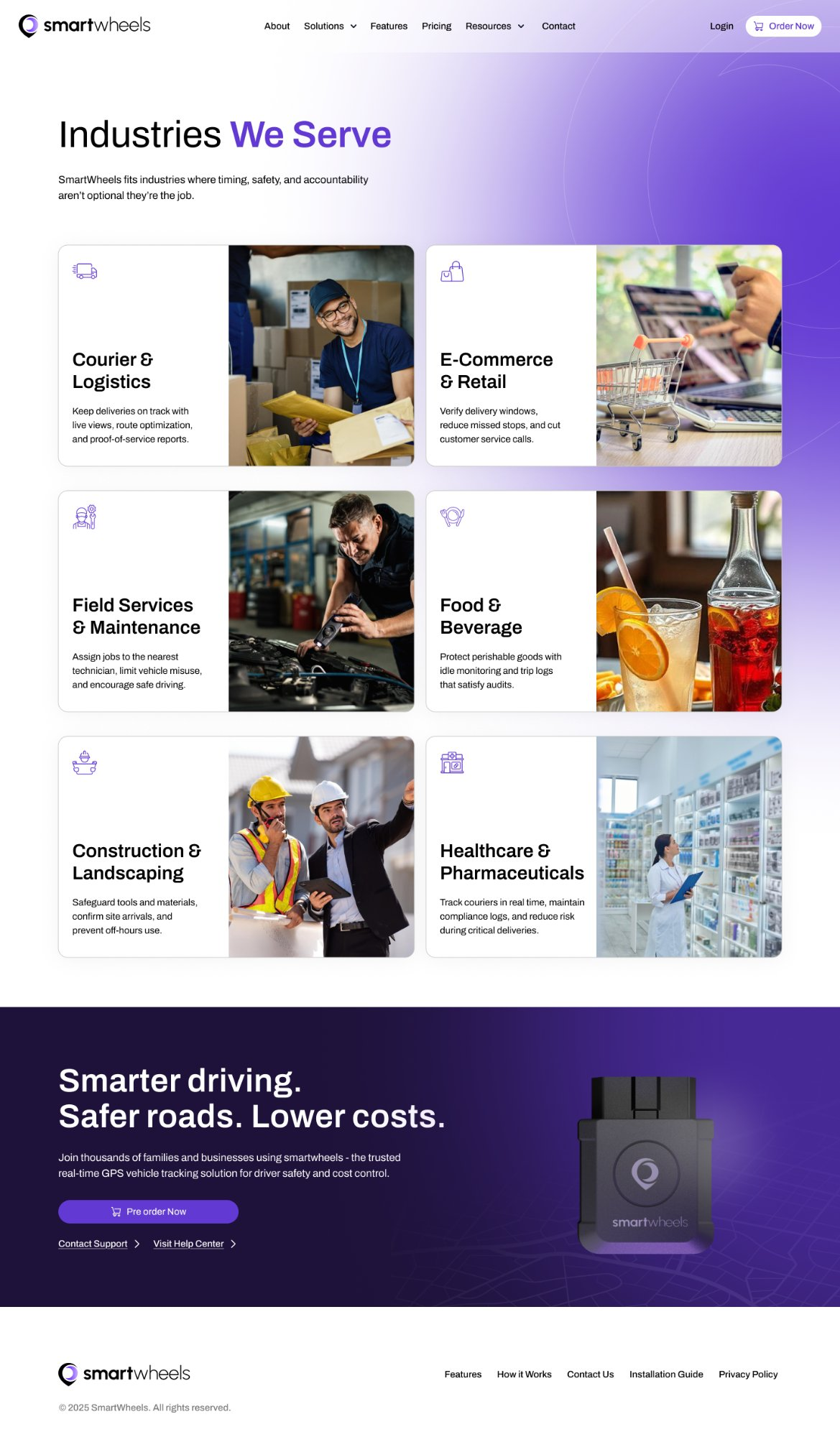
The homepage carries the heaviest IA burden: orient both audiences, establish hardware legitimacy within 5 seconds, and drive immediate vehicle compatibility checks.
- Hero Pricing Transparency: Showing "$12.95/month" directly in the hero neutralizes category-wide hidden fee anxiety before visitors scroll.
- Interactive OBD Compatibility Checker: Dropdown tool (Year/Make/Model) confirms fitment for 99.4% of vehicles post-1996.
- Feature Bento Grid: Highlights live tracking, battery health, and safe zones without cognitive overload.
- 3-Step Setup Strip: "Plug in → Connect → Track" disarms installation intimidation.
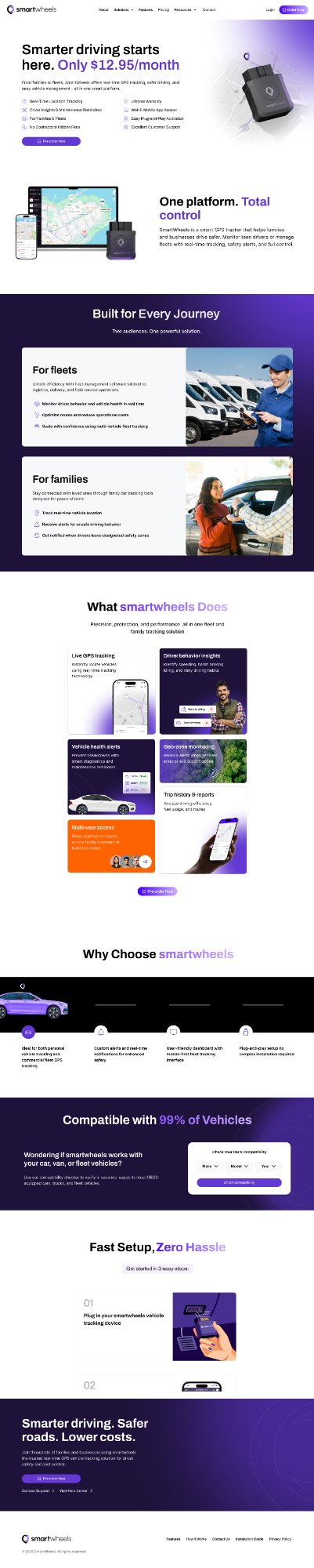 Homepage Walkthrough
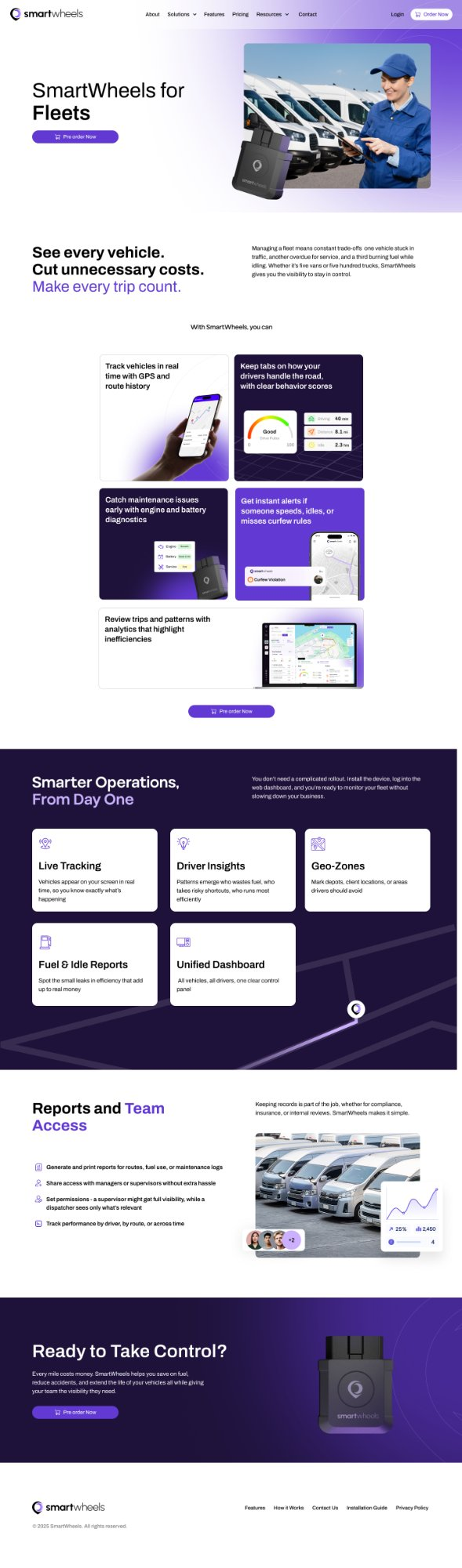
SmartWheels for Fleets: Outcome-Driven ROI
Designed for commercial buyers who evaluate fleet management software against hard ROI metrics. Emotional fluff is eliminated in favor of fuel savings, route auditing, and team permissions.
- Outcome Headline: "See every vehicle. Cut unnecessary costs." Directly speaks to dispatch headaches.
- Live Telematics Data Tables: Displays fuel consumption rates, route replays, and vehicle maintenance triggers.
- Role-Based Access Control: Enterprise proof that supervisors can assign territories without sharing master passwords.
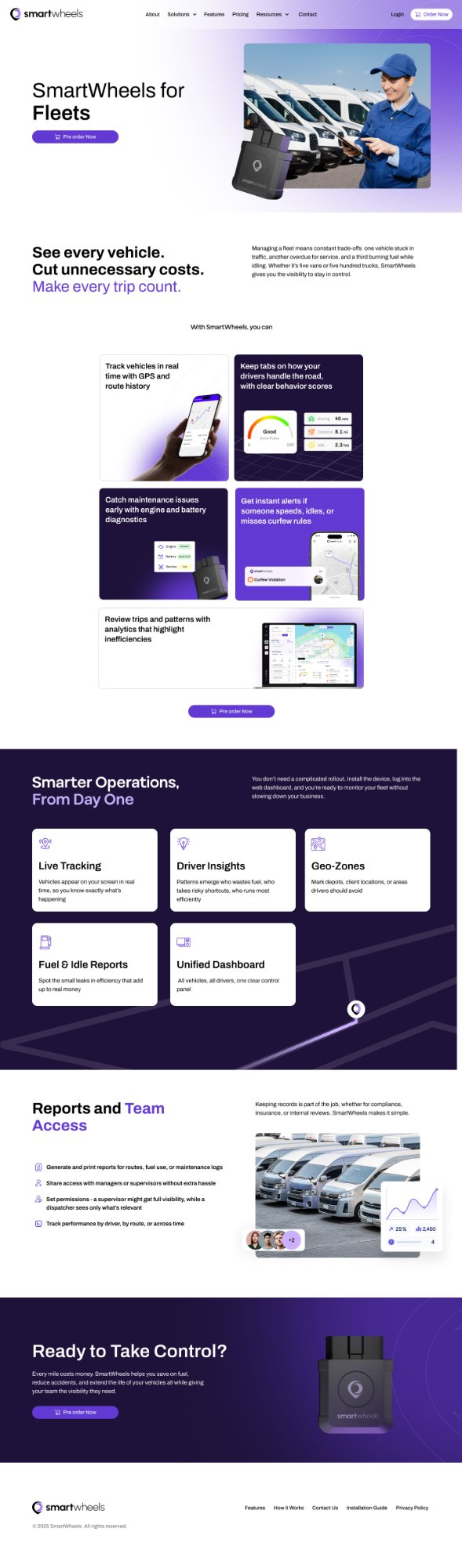 Fleets Page
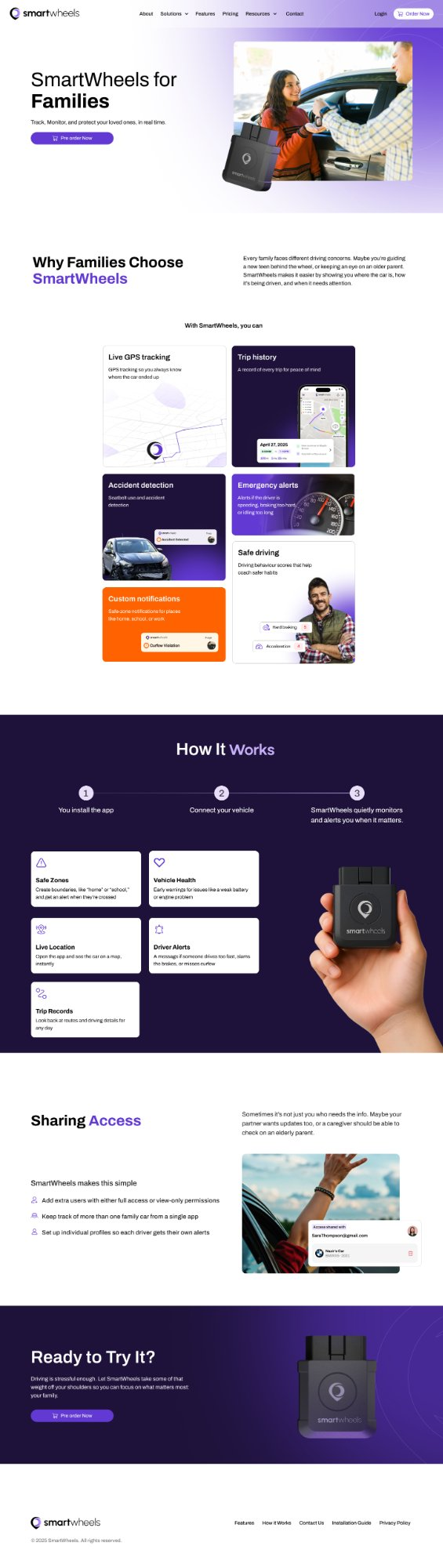
SmartWheels for Families: Emotional Reassurance
Warmer and more narrative than the Fleets page. Opens with relatable scenarios: novice teenage drivers, elderly parents maintaining independence, and shared family road trips.
- Feature Cards Lead with Protection: Crash detection, speed alerts, and automatic arrival receipts.
- No-Contract Reassurance: Clarifies that subscriptions can be paused during summer breaks or college semesters.
- Emergency Assistance Integration: Direct connection to roadside dispatch if battery voltage drops.
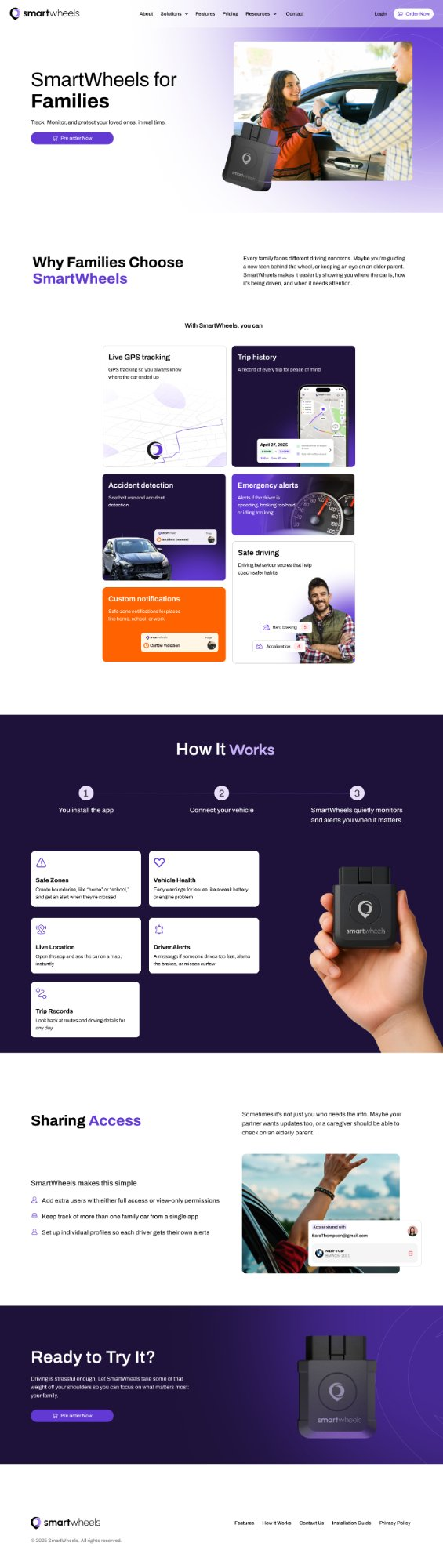 Families Page
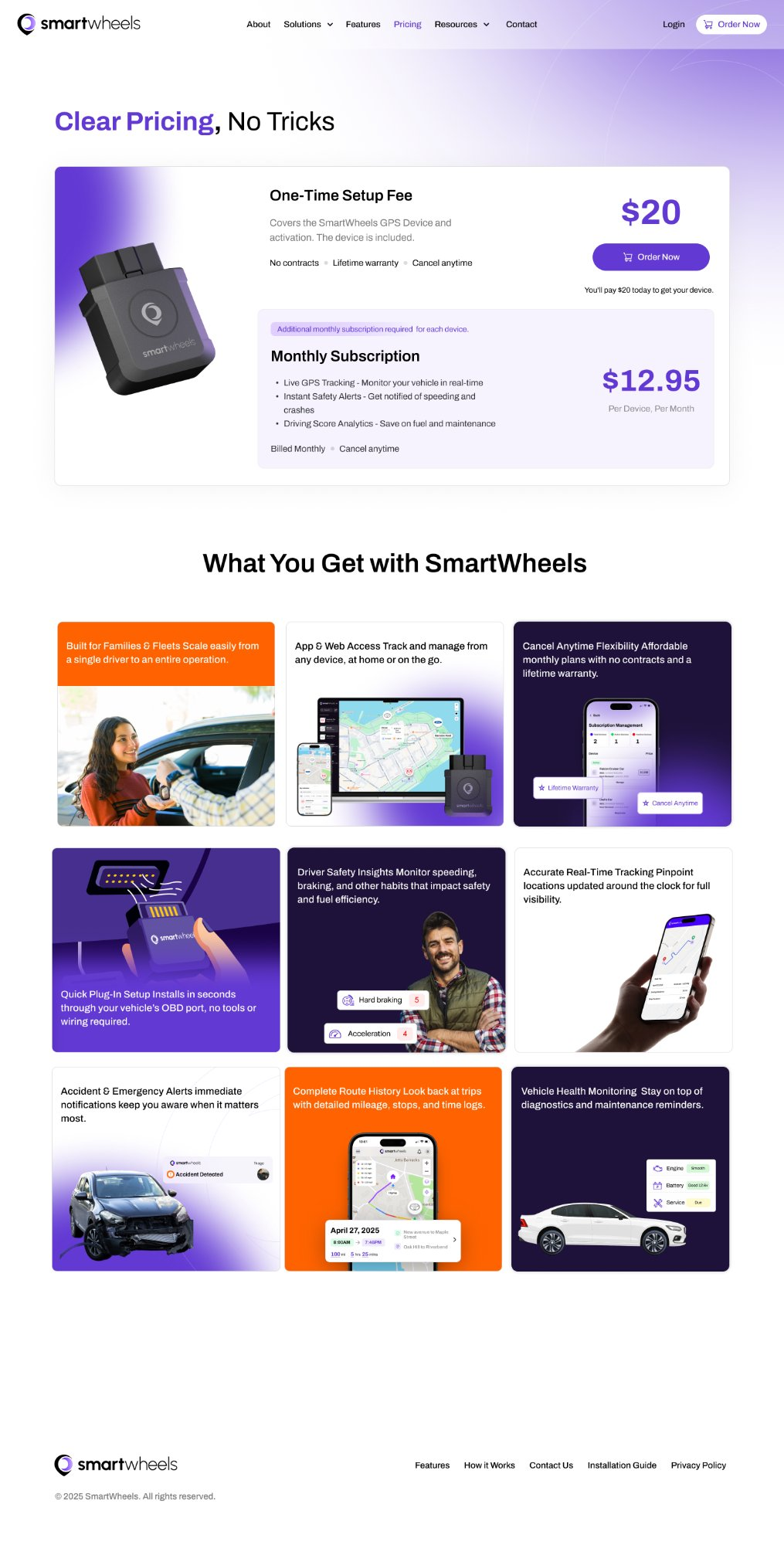
Pricing Page: "Clear Pricing, No Tricks"
Competitors bury cellular activation fees in fine print. We led with uncompromising transparency: $20 one-time hardware activation + $12.95/month recurring with lifetime warranty.
- Side-by-Side Comparison: Personal/Family ($12.95/mo) vs. Fleet/Business ($12.95/mo + Bulk Team Access).
- Trust Badges Above the Fold: "No Contracts · Lifetime Hardware Warranty · Cancel Anytime".
- Interactive FAQ Accordion: Directly addresses cellular SIM coverage, roaming, and multiple vehicle discounts.
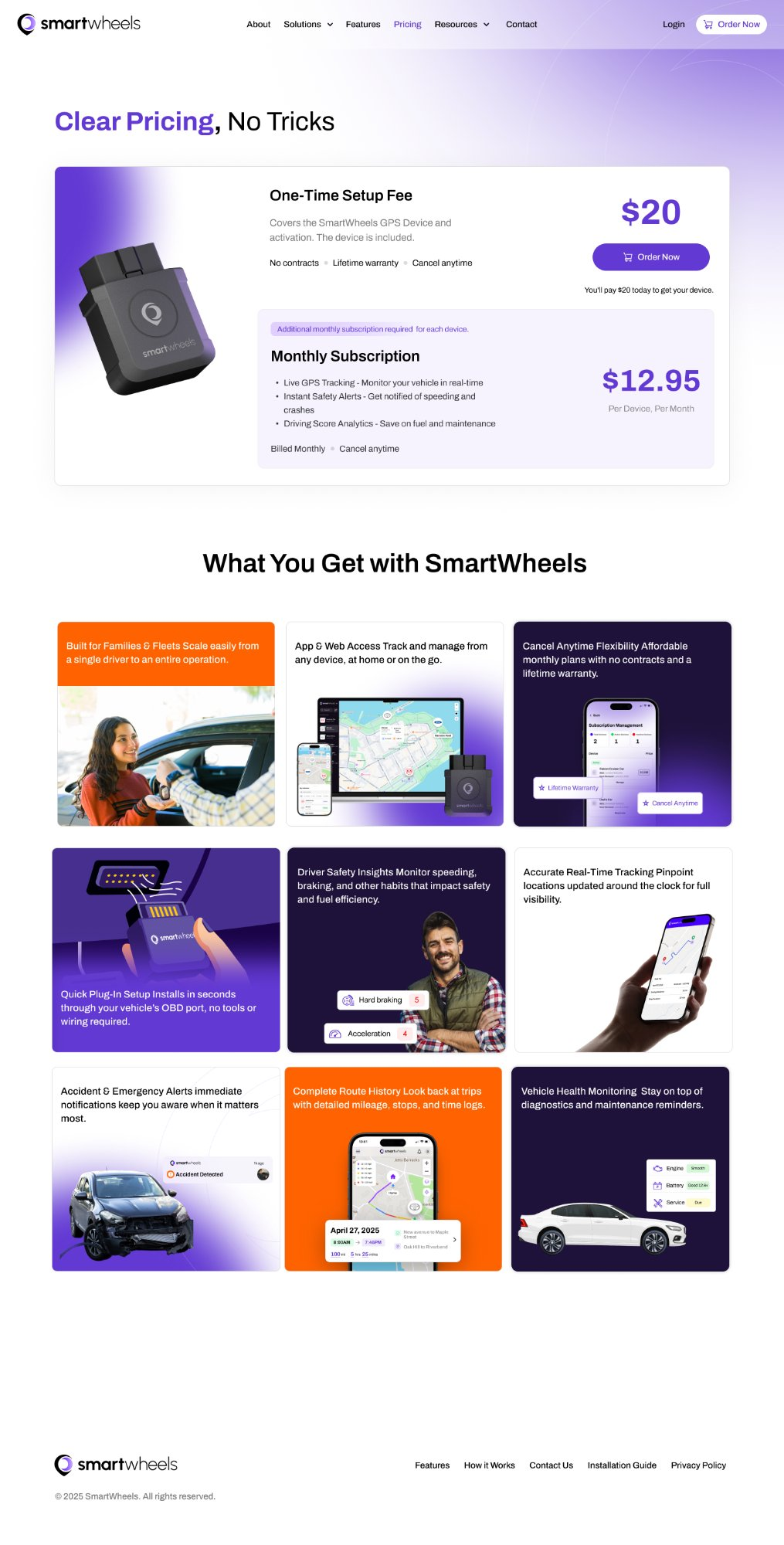 Pricing Page
The Cutting Room Floor: Directions We Explored & Dropped
Design maturity is defined by the hypotheses you test and discard. Here are four pivotal architectural decisions where user testing proved our initial assumptions wrong.
Split Navigation Bar (Family vs. Fleet Tabs)
We tested a global toggle in the nav bar forcing visitors to choose "Are you a Family or a Fleet?" on arrival. Testing revealed 44% of visitors felt alienated because they hadn't yet understood what the product actually did.
Hidden Pricing Behind "Request Quote" Modal
Stakeholders initially suggested gating B2B fleet pricing behind a contact form. Competitive research proved enterprise competitors were hemorrhaging trust by concealing subscription costs.
Two Disconnected Brand Visual Identities
We prototyped a soft pastel identity for families and a dark, industrial carbon-fiber theme for fleets. The result felt like two fragmented startup companies rather than one established mobility ecosystem.
Punitive Driver Infraction Counters
Our v1 telemetry wireframes featured big red counters: "3 VIOLATIONS DETECTED TODAY". Teen drivers in user interviews called it "toxic surveillance", while fleet drivers threatened walkouts.
Results that Validated the Product Approach
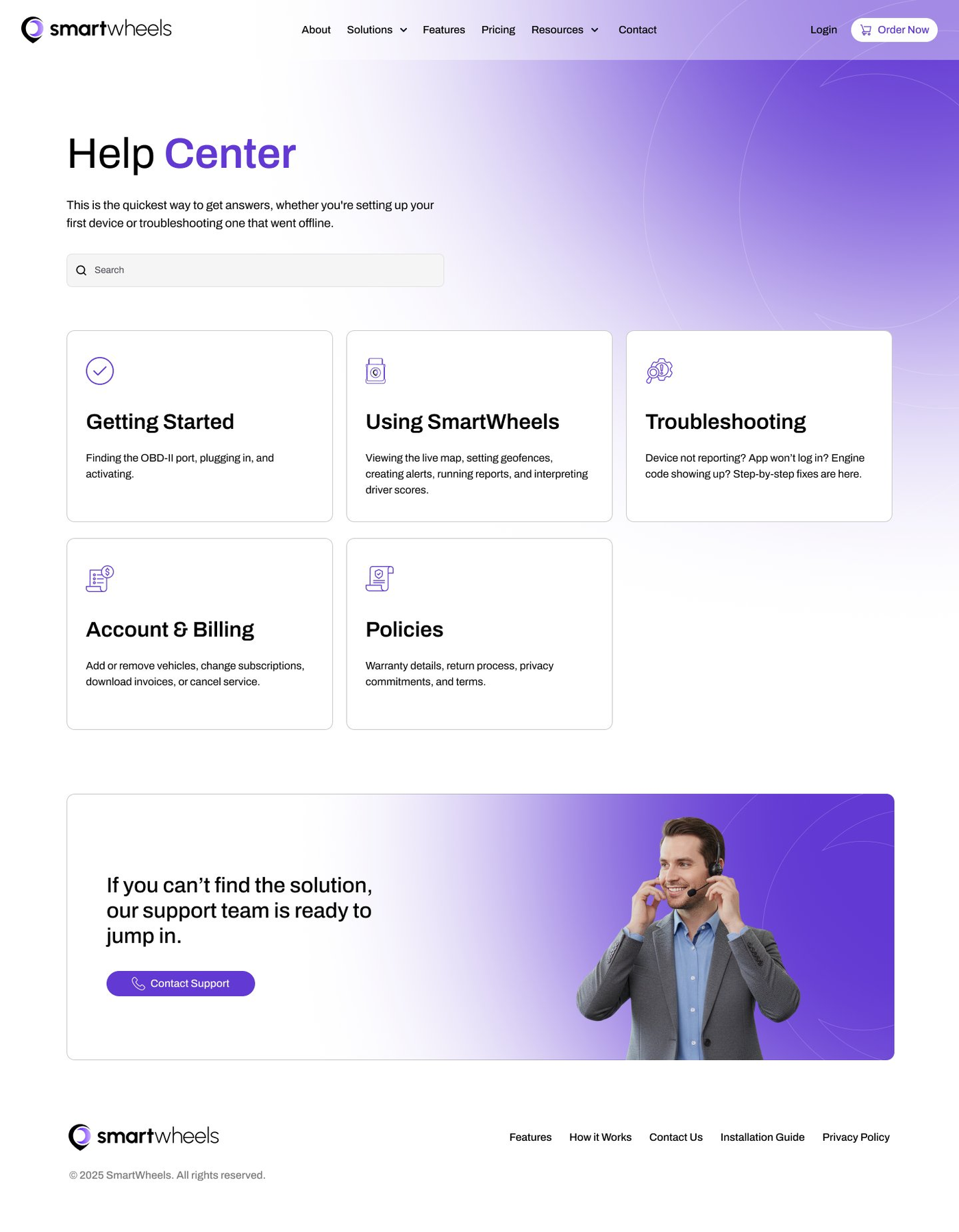
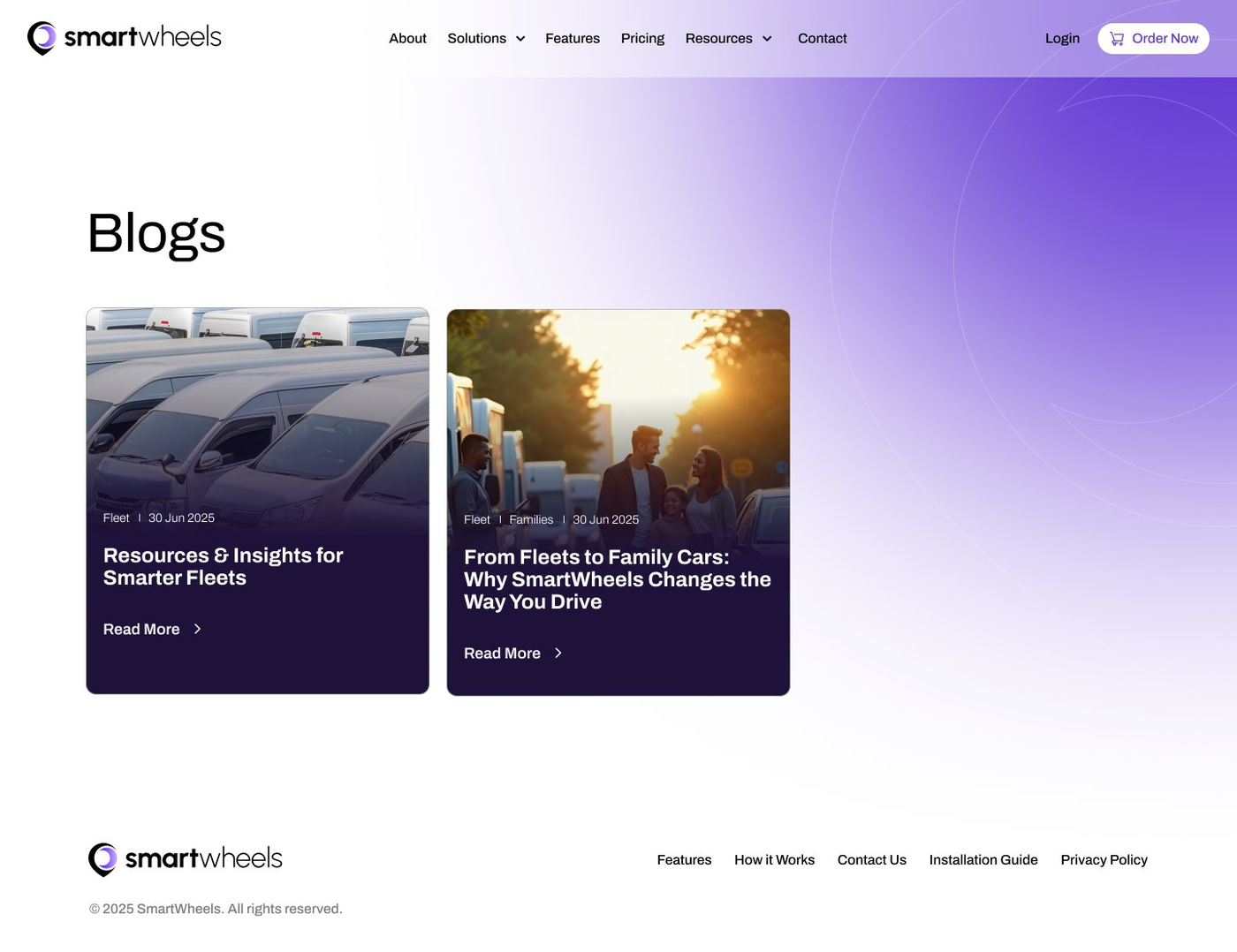
Shipped to production within 3 months, SmartWheels established immediate traction across both retail consumer channels and regional commercial pilot programs.
Production Surface Mosaic (Click to Inspect)
Key Takeaways & The V2 Telematics Frontier
What Designing for IoT Taught Us
Connected hardware products are fundamentally different from pure screen SaaS. The interface does not begin when the app opens; it begins in the physical car interior—dimly lit steering columns, cell dead zones in underground parking garages, and the tactile feel of an OBD dongle seating firmly into place.
When hardware latency and cellular drops occur, clear offline state messaging and visual micro-interactions prevent users from blaming the digital product.
V2 Roadmap Exploration
- Predictive CAN-Bus Diagnostics: Alerting drivers to alternator or battery degradation 2 weeks before stranded failure occurs.
- In-Cabin Gentle Audio Chimes: Real-time gentle audio feedback via smartphone speaker when braking harshly, helping drivers self-correct before penalty scores trigger.
- Smart Home Automation Geofencing: Integrating Apple HomeKit and Google Home to automatically turn on outdoor porch lights when family vehicle enters neighborhood.
Explore More Design Case Studies
Deep dives into enterprise SaaS, digital storytelling, design systems, and medical aesthetics UX.